RoomSketcher Reviews 

391
TrustScore 4.5 out of 5

4.4

While we don't verify specific claims because reviewers' opinions are their own, we may label reviews as "Verified" when we can confirm a business interaction took place. Read more

To protect platform integrity, every review on our platform—verified or not—is screened by our 24/7 automated software. This technology is designed to identify and remove content that breaches our guidelines, including reviews that are not based on a genuine experience. We recognise we may not catch everything, and you can flag anything you think we may have missed. Read more

Review summary

Created with AI, based on recent reviews

Considering 148 reviews, reviewers overwhelmingly had a great experience with this company, finding the application intuitive and easy to learn, even for beginners. Customers appreciate the product's ability to quickly create professional 2D and 3D floor plans and visualize spaces, which is highly beneficial for both personal use and client presentations. The customer service is consistently praised for being excellent, responsive, and helpful, with many highlighting the value of one-on-one coaching and webinars. However, some customers also noted that certain aspects of the application, such as customization options and the furniture library, could be more extensive or easier to use. A few other people also felt that the credit system was too expensive or that the 3D live version could be more realistic.

What people talk about most

User experience

People report positive experiences with user experience, finding the software intuitive, easy to use, and... See more

Product

Customers consistently note positive experiences with the product, praising it as an excellent design tool... See more

Customer service

Customers had positive experiences with customer service, consistently describing it as excellent, fast, and... See more

Price

Consumers find price to be ambiguous, with many reviewers expressing concerns about the pricing structure and... See more

Application

Reviewers mention positive feedback about the app, with many finding it easy to use for visualizing layouts... See more

Reviews shaping this summary

Rated 4 out of 5 stars

I am new to using , so I’m still learning the program. I will say though I wish there was information explaining the credits. 5 of my credits were waisted because I didn’t understand how they work. On... See more

Company replied

Rated 4 out of 5 stars

We were searching for a way to show our clients a room plan in 3-D and also an app that would offer a room capture option. Room Sketcher has provided both of those at a reasonable price point for our... See more

Company replied

Rated 4 out of 5 stars

Roomsketcher has a clear and simple layout and was easy to teach myself how to use. Anything I did not understand was easy to find out from youtube tutorials etc. Now I have been using it for seve... See more

Company replied

Rated 4 out of 5 stars

I have only been using this App for a few weeks, but I have created several plans. The app has enough options to make it very useful but not so many that makes it difficult to learn. I use it to help... See more

Company replied


Company details

  1. Software Company
  2. Software Vendor

About RoomSketcher

Written by the company

RoomSketcher is professional floor plan software that makes it easy to create and share accurate, high-quality floor plans.
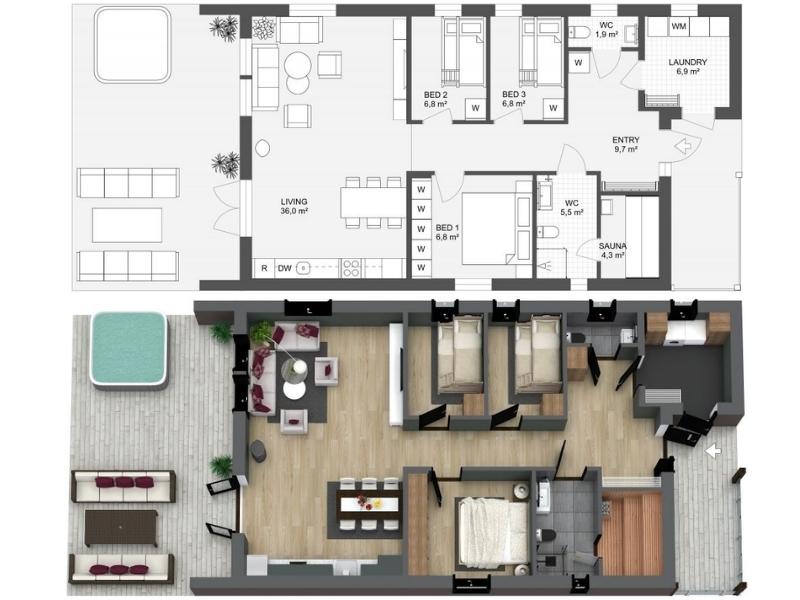
RoomSketcher Example
RoomSketcher gives you the flexibility to create floor plans in five different ways.

Draw your floor plans from scratch, order your existing blueprint to be redrawn, manually trace over existing sketches, use AI Convert to quickly transform existing plans, or scan floors with your phone into RoomSketcher (available on iOS).

With RoomSketcher, you can:
  • Create polished 2D & 3D floor plan visualizations in your style.
  • Easily visualize your designs in photorealistic quality with AI Render
  • Save time by letting our team quickly convert existing plans for you.
Trusted by thousands of real estate professionals, interior designers, and general contractors worldwide since 2007. We help you save time, impress clients, and boost your marketing with visuals that stand out.

Visit RoomSketcher’s Website

Contact info

4.4

Excellent

TrustScore 4.5 out of 5

391 reviews

5-star
4-star
3-star
2-star
1-star

Asks customers to review

This company invites their customers to review, whether positive or negative

Replied to 100% of negative reviews

Typically replies within 48 hours

How this company uses Trustpilot

See how their reviews and ratings are sourced, scored, and moderated.

4.4

All reviews

(391)

161 reviews in the last 12 months

Write a review
Companies on Trustpilot aren't allowed to offer incentives or pay to hide reviews. Reviews are the opinions of individual users and not of Trustpilot. Read more

Rated 5 out of 5 stars

personalized response that solve my…

personalized response that solve my specific issue

21 August 2024
RoomSketcher logo

Reply from RoomSketcher

Hi Adam,
Thank you for your review. I'm very happy to hear that you got the help you were looking for from our team.

Kind regards, Team RoomSketcher

Rated 5 out of 5 stars

RoomSketcher has been a great addition…

RoomSketcher has been a great addition to my client presentations. Wonderful process and very user friendly. Great online tool for visualization with beautifully finished renderings.

21 August 2024
RoomSketcher logo

Reply from RoomSketcher

Hi Wendy,
Thank you so much for your feedback. We really appreciate it!
Glad to hear that RoomSketcher is a great addition to your presentations.

Kind regards, Team RoomSketcher

Rated 4 out of 5 stars

On the whole a easy to use program.

On the whole a easy to use program.
My only con is there is no drawing option to add details of your own

14 August 2024
RoomSketcher logo

Reply from RoomSketcher

Hi John,
We're happy to hear that you find the app easy to use, and thank you for your feedback!

You are right, it is not possible to upload items or materials to the app. However, with a Pro or Team subscription you have access to a very large library of both furniture items and materials.

Here are some tips you can try out as well:
1. If you're looking to add a specific color to a wall or an item, you can put in the HEX or RGB code to get the color you're looking for. You can read more about it here: https://help.roomsketcher.com/hc/en-us/articles/360000906089-Match-Paint-Colors

2. Try searching for Building Blocks in the furniture library. These are great to build your own furniture and fixed items.

I hope this was helpful. If you have any questions, please reach out to us at support@roomsketcher.com

Kind regards, Team RoomSketcher

Rated 2 out of 5 stars

it was quite frustrating to go through…

it was quite frustrating to go through the entire design process, measuring out walls, marking exact locations of doors and windows, measuring and demarcating stairs; only to find that when i went to generate the drawings, NONE of the measurements were transferred onto the drawings and there is no way to get the measurements onto the drawings. i'm trying to create blueprints for city approval and there's no option to show window sizes, door sizes, stair widths, etc.. just a pretty picture that painstakingly took about 8 hours to produce and virtually nothing to show for it. i may as well have drawn a picture on scratch paper with a crayon. As it is, i now have to put the PDF renderings into Adobe acrobat to add all the measurements.. Extremely redundant.. but at least you guys got your licensing fees right ??!

12 August 2024
Unprompted review
RoomSketcher logo

Reply from RoomSketcher

Hi Jay,

I’m so sorry to hear that you find the app frustrating to work with. I understand that it must have been disappointing that the measurements did not appear on the generated floor plan.

To get measurements on the generated floor plan, you must add them yourself. You can do so by navigating to the Windows etc Mode, and going to Symbols, text and lines. There, you will find the measuring tools you need to measure the distance between windows/doors and walls. These measurement tools are also perfect for showing the size of windows, stairs, and doors.

If you have any questions about using the measurement tools, please don’t hesitate to contact our customer service team at support@roomsketcher.com. They would also be happy to give you a refund if you wish.

I hope this was a bit helpful, and sorry again.

Kind regards, Team RoomSketcher

Rated 5 out of 5 stars

I needed to make a couple of 2D…

I needed to make a couple of 2D floorplans quickly. Having never done anything like this before, I tried a couple of other top-rated apps, but this one was easily the best- very easy to learn and very user-friendly, with lots of help and support if you need it.
A reasonable fee is charged to download a (2D) floorplan. I'd like to have added the 2 floorplans I needed to a basket/cart and pay once, but couldn't see the option to do this, so had to pay for each one separately. Also, it would be great to be able to use the mouse/trackpad to quickly select options with just a tap or a click, rather than having to keep navigating over to the right to make a selection.
Bottom line- very good app, recommended.

18 August 2024
Unprompted review
RoomSketcher logo

Reply from RoomSketcher

Hi Patrick,
Thank you so much for your kind review and great feedback! We're so happy to hear you found the app easy to use and that you were satisfied with the floor plans you produced.

For Free users, you are charged per 2D floor plan. However, if you upgrade to a Pro subscription, you will not be charged for 2D Floor Plans, and you can generate and download them easily.

As for the select option, we actually have a setting in the app to make this happen! Open the orange menu at the top left, and under Tools, click on Settings. Turn off "Show Item Properties on Click." Now, when you place items, you will not get the item settings on the right, and you can continue placing items.

If you have any questions about the app, please reach out to us at support@roomsketcher.com.

Kind regards, Team RoomSketcher

Rated 5 out of 5 stars

In 1 day you can set up an entire floor…

In 1 day you can set up an entire floor plan for any or all levels of a home or structure for a very fair price given the amount of time you save someone like myself who would take hours/days. There is a cost, but 100% worth it!

16 August 2024
RoomSketcher logo

Reply from RoomSketcher

Hi Gail,
Thank you so much for your kind review, we really appreciate it! Very happy to hear you enjoy using the app, and that it saves you time.

Kind regards, Team RoomSketcher

Rated 5 out of 5 stars

Very nice

Very helpful with the 2d and 3d views, however save copy is eating away too many credits

14 August 2024
RoomSketcher logo

Reply from RoomSketcher

Hi Srilakshmi,
We are happy to hear that you're satisfied with the 2D and 3D you have created with the RoomSketcher App.

I recommend using the Levels feature if you're creating different versions of the same floor plan. This will save on Credits, and you keep all the versions within the same project. You can read about how to use the Levels feature here: https://help.roomsketcher.com/hc/en-us/articles/360000107249-Work-with-Floors-or-Levels

Kind regards, Team RoomSketcher

Rated 5 out of 5 stars

I was overwhelmed with Clients and I…

I was overwhelmed with Clients and I asked RS to build a floor plan for me and it was a life saver. It was perfect! It was worth every penny, (I think it was only an additonal $27?), but SO worth it. Saved me hours and sanity. idk exact date but within the month.

1 August 2024
RoomSketcher logo

Reply from RoomSketcher

Hi Kimberly,
Thank you so much for this wonderful review! We love hearing stories like this one :)

Kind regards, Team RoomSketcher

Rated 5 out of 5 stars

Great for personal use: Addition of Garage with ADU

purchase to do floorplans for a home remodel and additions. fantastic program! Easy to learn. I had a few questions and the support was some of the best I have ever seen. Detailed explanations with pictures. Love and would highly recommend.

12 August 2024
Unprompted review
RoomSketcher logo

Reply from RoomSketcher

Hi Lida,
Thank you so much for this amazing review! We're so happy to hear that you love the program and our support team.

Kind regards, Team RoomSketcher

Rated 5 out of 5 stars

The free trial is what hooked me

The free trial is what hooked me, and the “how to videos” on you tube were perfect for a beginner, love the app, the only thing is the credits they make you buy for special 1 time views.

8 August 2024
Unprompted review
RoomSketcher logo

Reply from RoomSketcher

Hi AJ,
Thank you so much for your positive review, we really appreciate it!

As for the Credits - when you spend Credits to generate, for example, 3D Photos or 3D Floor Plans, you can download them and keep them on your computer as long as you'd like. You can also send them to anyone you want. By downloading what you have created, you're able to view them as many times as you want :)

Kind regards, Team RoomSketcher

Rated 5 out of 5 stars

Great value and very good

A relatively simple yet well-featured app that has met my every need. I needed to design an apartment as an alternative dwelling and wasn't sure just what accommodation may fit in. Room Sketcher to the rescue. Even I (a sixty-eight-year-old) with my limited experience managed to get a respectable plan done in a weekend, with no prior experience. Thanks for a great app, love it!! The other advantage was I designed it on my PC and showed it to people on my iPad with no dramas.

29 July 2024
Unprompted review
RoomSketcher logo

Reply from RoomSketcher

Hi Kevin,
Thank you for this wonderful review, we really appreciate it!
RoomSketcher is great for trying different furniture layouts, and we're so happy to hear you found the app easy to use.

Kind regards,
Team RoomSketcher

Rated 5 out of 5 stars

this is my first time making plans and…

this is my first time making plans and i found it easy to use yet really comprehensive!

26 July 2024
Unprompted review
RoomSketcher logo

Reply from RoomSketcher

Hi Joe, thank you for the great review. So happy to hear that you found the app easy to use! Kind regards, Team RoomSketcher

Rated 5 out of 5 stars

The training was spot on

The training was spot on with what I needed to know to get this tool to the next level for my presentations.

9 July 2024
Unprompted review
RoomSketcher logo

Reply from RoomSketcher

Hello Anne, thank you for your positive feedback. We're so glad to hear that our training team got you up and running. Kind regards, Team RoomSketcher

Rated 4 out of 5 stars

3D Professional

User friendly, nice presentations, quick outcome.

Wish we could customize library and insert additional libraries.

Overall great experience.

17 July 2024
Unprompted review
RoomSketcher logo

Reply from RoomSketcher

Hi Heidi, We're so happy to hear that you're satisfied with RoomSketcher! As for our library - remember that you can customize the size, material and color on most of our furniture items. I would also recommend that you subscribe to our newsletter so you don't miss out on any new releases. You can do so here: https://info.roomsketcher.com/l/707423/2019-08-22/mw3x . Kind regards, Team RoomSketcher

Rated 5 out of 5 stars

Job Done Easily and Professionally

Room Sketcher has been very user-friendly and let me achieve professional results in very little time. It helped me starting quickly with a simple project and there was no difficulty in making it as complex as I wanted it to be. I was utilising the app at a higher level in no time. It helped me visualising my projects. I would not have succeeded in getting the results that I wanted without using Room Sketcher. Thumbs up to the customer support team as well!

27 June 2024
Unprompted review
RoomSketcher logo

Reply from RoomSketcher

Hi Gill, thank you so much for this awesome review! We love to see our customers flourish with RoomSketcher, and we're so happy to hear that RoomSketcher has been so helpful for your work. Kind regards, Team RoomSketcher

Rated 4 out of 5 stars

It's great but I wish I cold customize…

It's great but I wish I cold customize some things more like stairs and landings

1 June 2024
Unprompted review
RoomSketcher logo

Reply from RoomSketcher

Hi Johanna, thank you for your positive feedback! With RoomSketcher you can easily change the color and materials of the provided stairs. If you'd like to create customized stairs, you could try using our building blocks - search for "building block" in the Furniture Mode. These are customizable in size, color, and material. Here are some great examples of stairs that were created using building blocks: https://www.roomsketcher.com/blog/staircase-design/
Kind regards, Team RoomSketcher

Rated 4 out of 5 stars

Quick + easy

Easy to use, quick response, very helpful, very friendly ❤️
Missing only: Option for "DIN 277“-wohnflächenberechnung

27 June 2024
Unprompted review
RoomSketcher logo

Reply from RoomSketcher

Hi Anna, Thank you for your feedback. It's great to hear that you are happy with RoomSketcher :)

Have you tried using our Total Area tool? You can read about it here: https://help.roomsketcher.com/hc/en-us/articles/213924629-Calculate-the-Total-Area-of-a-Floor-Plan or reach out to us at support@roomsketcher.com to learn more about it.
Kind regards, Team RoomSketcher

Rated 5 out of 5 stars

I had a zoom meeting with the…

I had a zoom meeting with the representative
Very responsive and very helpful

17 June 2024
Unprompted review
RoomSketcher logo

Reply from RoomSketcher

Hello Mila, thank you for your positive feedback. It's fantastic to hear that our training team was able to get you up to speed. Kind regards, Team RoomSketcher

The Trustpilot Experience

Anyone can write a Trustpilot review. People who write reviews have ownership to edit or delete them at any time, and they’ll be displayed as long as an account is active.

Companies can ask for reviews via automatic invitations. Labeled Verified, they’re about genuine experiences.

Learn more about other kinds of reviews.

We use dedicated people and clever technology to safeguard our platform. Find out how we combat fake reviews.

Learn about Trustpilot’s review process.

Here are 8 tips for writing great reviews.

Verification can help ensure real people are writing the reviews you read on Trustpilot.

Offering incentives for reviews or asking for them selectively can bias the TrustScore, which goes against our guidelines.

Take a closer look